Monday, August 16, 2010

How to (really) find a Rogue AP


I want to tackle a problem that most people think of having been solved a long time ago. Rogue Access Points (I can almost hear the groans). Seriously, it deserves another look. Why? Well, to be truthful, I think when trying to track down and physically remove the AP, most people do it wrong.

While almost every infrastructure vendor has a method for the determination and mitigation of an unauthorized access point, what they cannot do is physically remove the device from your premises. No WLAN WIPS robot has yet been created to go out to a facility and track down exactly where a rogue is and then pick it up and deposit it in a dumpster or ask the owner to please take it home or whatever it is your security policy says you should do when one of these is found.

Instead, we rely on both our infrastructure and a variety of laptop or handheld based software tools to assist us in this task and then we send a real flesh and blood person out to do this. This is where the major mistakes are usually made.

Every person I have met that has this task as one their responsibilities have told me the following, “I want to use a wifi adapter with a directional antenna to find the device. Just point it and it will tell me where to go.” This is wrong. Let me say that again, WRONG!

Let me explain why.

Let’s take one of the “flag” antennas that are fairly popular now (fig. 1).

Fig. 1

 Inside the plastic shell of this device is a Yagi-Uda antenna, commonly called a “yagi”. This is a fancy name for the type of antenna that televisions used to use before cable and satellite. Here is an example of what a yagi looks like without a shell (Fig. 2).

 
Fig. 2


Antennas professionals use a pattern diagram to describe the sensitivity pattern for the antenna. The diagram shows a pattern view from above and from the side (Fig. 3).

Fig. 3


The left view is looking down on the antenna from above known as the azimuth view and the right view is from the side and is known as the elevation view. This illustrates the amount of gain this antenna gets in any particular direction.  The problem here is when you start to use a high gain (in this case 8dBi) antenna indoors you get some strange effects due to the lobes described by the diagram above.

Here is an example. You are determined to remove a Rogue AP physically from your building. You stand in the building and aim your antenna. As you sweep left and right you watch the signal strength of your rogue finding tool. In this case we will use the find tool in the AirMagnet Wi-Fi Analyzer (Fig. 4).

Fig. 4


You monitor the signal strength and figure that when you are aiming right at the AP it will be the strongest. The graph will be at a peak and the meter will show the highest signal strength. However the signal is herky-jerky and very difficult to know when you are aiming right at the Rogue. Sometimes it is high when you are way over to the right and sometimes it is just as high when you are pointing to the left. Why is that? Shouldn’t it just be obvious when you have the device in your sights? No. Let me show you why.

As you aim your directional antenna the gain field of the antenna sweeps out ahead of you and you get a high reading as expected when pointing right at it (Fig. 5).


Fig. 5

Then as you sweep away to the right the signal drops when you hit the gap between the primary and secondary lobe (Fig. 6).


Fig. 6

Then the signal jumps up again as you enter the second lobe (Fig. 7).

Fig. 7


Also it may jump again as the signal bounces off of the walls and reflect back towards you (Fig. 8) since when you aim directly at the Rogue AP the signal is attenuated by the internal walls but the signal reflected back to you is clear.

Fig. 8


You see the directional antenna with a very high gain can be fooled. A user may spend 20 minutes trying to track down this device sweeping left and right trying to find the correct direction.

There is a better way. I will show you how to find a Rogue AP in just a minute or two and as a bonus you get some great exercise as well.

The key here, counter-intuitively, is to use an omnidirectional antenna and walk very fast. The technique is quick and accurate. You will find the rogue in less than a minute, whereas with the previous method it may take many minutes or more.

The first step is to stand at the edge of the building and walk perpendicular to the wall. It is very important that you walk fast as the graph you will be watching will be jiggling around and you will need to be able to observe a distinct change to the graph which will be easier the faster you walk. Keep your eye on that graph and when it peaks and starts to decline, stop and back up to the area where it peaked (Fig. 9).


Fig. 9


Now turn 90° to either the right or left and start walking that direction quickly as well. If your signal immediately declines, reverse your course and walk the other direction (Fig. 10).

Fig. 10

Once again, when the signal peaks and starts to decline, turn 90° and walk quickly. In this way, you will box in on your objective and be able to walk right up to it and remove it (Fig. 11).

Fig. 11

I think once you have tried this method you will be extremely pleased with the result. If you have tried to use a directional antenna to find a Rogue AP in the past, you will know that you can spend quite a great deal of time aiming your antenna before you even try to move towards the device. Then when do start to move around the results are hard to determine and you tend to move slowly and carefully. This method that I have described is fast and efficient and enables you to quickly find your problem Rogue AP.

Our AirMagnet class instructor has taught over 5000 students how to use this method and it really is more efficient.  Try it out and let me know what you think. 

Sunday, August 15, 2010

Entranced!


I am describing my mind and it's fixation with the WikiLeaks/Pfc Manning/Wired Magazine (via Kevin Poulson)/Adrian Lamo/Icelandic Law thing. I am like a person watching a car wreck. I cannot look away. I have not made up my mind on this but I am very intrigued. WikiLeaks may be a criminal enterprise, a heroic counterpoint to secrecy and big brother or we may be watching the evolution of journalism before our very eyes. 

Here is the story so far: Mr. Assange has assisted in the crafting of legislation that was recently passed in Iceland and which subsequently creates a "free press haven" which protects him (and other journalists) from search and seizure and incarceration. He stores his data there and elsewhere where data protection laws exists. He is mirrored by hundreds of other sites and distributes his data globally. Then he leaks 92,000 US military files from Afghanistan (Actually, 77,000 - he keeps some in reserve for Insurance). He shows the horrors of war while continuing to uncover the underhanded practices of individuals, groups, businesses, religions, governments. Private Manning appears to be the leaker and was turned in by Adrian Lamo, the barefoot hacker. The story breaks on the Wired Magazine "Threat Level" blog run by hacker Kevin Poulsen. We learn that Private Manning has a pretty high security clearance and is love with a drag queen from Cambridge, Mass. We have human rights groups joining the military in asking WikiLeaks to edit the documents to protect the people assisting the US Army in Afghanistan. Lastly, we now learn of a potential war within the WikiLeaks "organization" and a potential CyberWar with the US military

He described the original goal of Wikileaks and how it evolved and adapted over time recently at a Berkeley Graduate School of Journalism symposium. This symposium took place just prior to the passage of the law and thus prior to releasing the documents. 

This is a story revolves around hackers. There are hackers at the center, hackers at the news outlets, hackers whistle-blowing on the hacker whistle-blower. This story is crawling with them.

Rather than debate the moral and ethical issues or try and talk about the impact on the newly changing journalistic world or the case details I would like to discuss what the heck happened to those pesky kids inspired by the movie WarGames and Captain Crunch.

In the past 20 years or so hackers have been portrayed by the media consciousness as teenage nerds disillusioned with their place in the world. Kids who get bullied in school and fight back by hacking into NORAD or AT&T or whatever. They have been shown as dweebs and techno punks. I never thought that any of these images were very accurate. Stories about real hackers never seemed to jibe with the images of Hollywood or the mainstream news.

I have been to a few hacker conventions and know a few hackers myself (let us not have a semantic debate about the term - Hacker - that fight was lost awhile back in 1983 if not before. It has many meanings but ask someone on the street in Des Moines or Tulsa and they have a very particular image in mind. In this I omit those folks who steal grandmas credit cards or push child porn and their ilk).  The folks I have met and know are crafty and witty. They spurn convention. They want to know how things work without having someone do the work for them. They love pranks and hate injustice. Some are very vain and cruel. They want information to be free to all. Others are gregarious and kind. All of them have one thing on common, they are all very smart. You have to be smart in a subculture where "what you know" and "what you can do" are the means to establish your status. 

I do not think that the general hacker populace cares one bit how they are portrayed in the media regardless in the past 10 years or so many of them grew up. Those 13 year old kids who in 1983 watched David Lightman hack into WOPR are now 40 and they are doing things.

Originally, they started out in a predictable way. They continued to hack into systems they did not like. They started network sit-ins. They defaced the sites of organizations they didn't like. Then they really evolved.

They started coordinating efforts of anti-WTO protesters in Seattle in 2000 and protesters at the Democratic National convention in Denver in 2008. All groups were open as targets as long as the hackers thought they were making news or changing the public opinion.

Assange and his crew wanted to change the way the media and "just folks" got their information. He wanted to link up all these bloggers with too much time on their hands with original source material and let them get the news unfiltered and then voice their opinions. well, It didn't work out quite how he planned but is doing something. What this something is we will see in the coming months.

The Hacker ethos has finally hit the mainstream. Google (net neutrality issues aside) has sponsored with Yahoo, Microsoft and others some "Random Hacks of Charity" and defied the work of the Chinese government to expose opposition party chinese nationals. Bill Gates wants to make a difference with his charities and has convinced many billionaires to follow his lead. 

J0hnnyhax, otherwise known as Johnny Long, and some friends went to Africa and started Hackers for Charity with the goal of, "proving that hackers have amazing skills that can transform charitable organizations. We’re about stepping into the gap to feed and educate the world’s most vulnerable citizens. We are virtual, geographically diverse and different." He has done amazing work in Uganda setting up labs and user groups, computer education and training. Recently he has been despondent, however. His blog posts the following, 
"HFC has done little relative to our collective capability.
We can throw an 802.11 signal a world-record distance of 275km using junk hardware. We can rootkit Android before it’s released, hack GSM, hijack global DNS, pick every lock on the planet, beat international news agencies to the punch, and weed our way into previously untrodden shadows of the digital world. There is amazing skill in our community. We build robots just because we can, and tweak just about every technology on the planet to unbelievable ends. We are motivated and brilliant. We are self-organizing and ultra-productive when assaulting “impossible” projects. We break, bend, and then re-create the rules. But can we really, honestly do some good in the world? My answer used to be a resounding “YES!” Now, my answer is a much-too-passive “Maybe”.
Yes, with me and my family on the ground here in Uganda, some positive things have happened (http://www.hfc-uganda.org). But is that work reflective of the power of our community? Hardly."

The rent for HFC just doubled in Uganda and Johnny despairs. 

The world is changing. Hackers are growing up. They are attempting to do what previous of generations of folks have tried time after time. They want the world to be fair. They want to contribute. they want to make a difference. It is a hard, long, twisting road and is uphill both ways. Giving up or giving in would be easy and just chugging along in the normal pay-earning life with all our normal problems of home, job, family and personal life seem to be enough to consume all our time. Where will this go?

Will HFC continue? Will Assange get arrested? Will Google divide the Internet into haves and have nots or will it refrain from being evil? I am entranced. I cannot look away. It is magic in the making.

Tuesday, April 20, 2010

This blog has moved


This blog is now located at http://freakquency.hubbert.org/.
You will be automatically redirected in 30 seconds, or you may click here.

For feed subscribers, please update your feed subscriptions to
http://freakquency.hubbert.org/feeds/posts/default.

Hackers Love Gray Powell

I am sure by now that all of you have heard of the next gen iPhone that was left behind by an Apple Engineer at a Redwood City bar. Heck it's now even on the New York Times. I feel bad for the guy and am a little miffed at Gizmodo for sharing his name. But now that is is already out there everyone knows him, Gray Powell. I am not interested in talking about the technology or the, "Human" situation. I am interested in, "Speed to Market".

You see, the thing that really amazes me is how fast hackers have capitalized on this Internet meme. in less than 24 hours they have created hundreds of websites to fool you into clicking on an executable that will bring your poor computer to it's knees.

Take a look at this image I saved of a Google search for Gray Powell.

Notice all the nice "This site may harm your computer" notes that Google was so kind to add?

In less time than it takes to say, "Famously Secretive Silicon Valley Computer Firm", hackers have lined up to take advantage of you.

Surf carefully young padawan.

Wednesday, January 13, 2010

A Brief note on the the Google/Chinese intrusion/withdrawl

I just wanted to publicly put my support behind Google's choice to put their foot down after the Chinese government sponsored intrusions into their networks.

By now, I am sure, many of you may have heard about this, but for those who have not here is their statement and some links:
We have decided we are no longer willing to continue censoring our results on Google.cn, and so over the next few weeks we will be discussing with the Chinese government the basis on which we could operate an unfiltered search engine within the law, if at all. We recognize that this may well mean having to shut down Google.cn, and potentially our offices in China.

You can test if they are sticking to thier guns by searching the Chinese Google site yourself at http://www.google.cn/


If they choose to have a spine and stick to this they will finally resolve their problems with their own motto, "Don't be Evil". Let's hope they do.

Saturday, January 9, 2010

Confusing me is easy

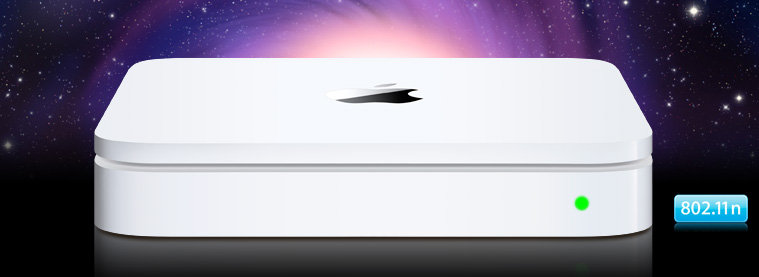
TimeCapsule.jpg


Sometimes I am amazed at how confused I can get over WLAN configurations. What seems so straightforward and plain to me when I am advising someone else will appear convoluted and unknowable when it is my own configuration.

Take for example my own humble home network. Over the years it has evolved from a single Apple Airport (Graphite) Base station and a laptop back in 1999 which I still own to my rather complex hodgepodge of multiple networks I have today.

Apple AirPort Logo


Today I have 3 networks which I have re-architected many times based on my own changing needs. One for media (music and in the future, Apple TV), one for testing and one for primary wireless access.
Apple Airport Express


The network used only for music (AirTunes is Apple's name for it) consists of one Apple AirPort (Snow) Base Station on my Ethernet LAN and several AirPort Express wireless repeaters scattered liberally throughout my home attached to stereos and speakers here and there. The purpose of these are, as I already mentioned, is to provide me with ubiquitous and simultaneous music. They are all on channel 1 (2.412 gHz) so as to avoid the old Sharp Carousel microwave oven which would normally destroy my listening enjoyment when it is running if the network would use channels 5 to 13 (2.432 - 2.472 gHz). Happily this network has an option set that will not permit Clients (STAs) to attach to it and in fact does not appear on my AirMagnet WiFi analyzer except as actual 802.11 packets. The APs themselves are invisible to network scanners like Netstumbler and others unless you actually do packet analysis. Lastly it is encrypted with WPA2-PSK and is configured for 802.11g only with a 5.5Mb/s muticast rate so the music will play without skips or misses as it streams from my music server.
.
3CF61E2B-81F6-4D0D-8D45-E8B8EE894AFF.jpg


The testing network changes constantly and has AirMagnet Sensors and the Meraki nodes on it. You may have seen some of my previous posts about Meraki's cloud based wireless solutions. Very cool indeed
C2513B20-A57C-4D8C-A613-BD6ECF336857.jpg


Now onto the primary network and here is where I got confused. You see, originally this was an 802.11b/g network using that old AirPort (Snow) Base Station. However, as a WLAN engineer I felt it important to have an 02.11n network in place but was worried about interference. This would be both co-channel and adjacent channel interference from other wifi devices as well as non-wifi interference from cordless phones, Bluetooth and my dreaded microwave oven. So I purchase the Airport Extreme Base Station N.This device supported both 802.11a/b/g and Draft N standards, it had Gigabit Ethernet and a port to connect a USB hard drive for NAS. However, I was extremely disappointed to learn that this device would only work on either 5gHz or 2.4gHz not both simultaneously. I wanted both at the same time. C'est la vie. I put the AP in place and started to have issues with the configuration right away. You see, I wanted to use the older Express devices as wirelessly connected repeaters as I had the the other AP but after 2 weeks of trying I could never get them to work so I figured that Apple must want me to upgrade them to the newer N model, however I was reluctant as there was nothing wrong with the ones I had. I chose to live with it the way it was.

Luckily for me Apple introduced a Simultaneous Dual Band version within a few weeks of my purchase and I was able to exchange mine for the newer model. This turned out to cause a new problem when I noticed that it was dropping client occasionally and had to be rebooted once or twice a week. I was perturbed and figured the problem was me or my configuration. I twiddled the settings a few times and changed the firmware but had limited success resolving my issues. I did notice that the Ethernet connectors were always loose no matter how firmly I inserted them but could not positively determine if this was the issue. Also, I suspected my aging ZyXEL DSL router to be a culprit but again could not reproduce the problem to my satisfaction. I just could not believe that it was an Apple product control issue. My internal standard for Apple's Quality control was very high after years and years of experience with their products. Finally, after awhile (2-3 moths) I grew tired of trying to fix it and gave up and just informed my family to reboot the Internet Router and the Airport if they couldn't access the Internet. To quote Julia Child, "This always works."

After a few months and independent from these issues, we decided to invest in a backup solution that was more comprehensive that the piece meal attempts at backup we were doing today. The consensus was to go with Apple's TimeCapsule as I had heard from others on how well it performed. For all intents and purposes it was identical to my current AP but with internal Hard Drive and Power supply so I was a bit trepidatious but gave it the green light. We purchased the product. Configured it in about 15 minutes and replaced the Simultaneous Dual-Band AirPort Extreme N Base Station and low and behold, all my problems went away! I was amazed and decided that 8 hours was not long enough for testing. 2 weeks later it is still going strong. I had found the weak link, or had I?

I repurposed the Slightly older AirPort to my boudoir/office and never had a problem again with either connections. To this day I am at a loss to explain it. Some combination caused the problem, once separated however, the problem disappeared.

You see, sometimes I get confused.


Thursday, October 8, 2009

Why we need (and should already have) a 4 channel plan in 2.4GHz

A long time ago I took the original AirMagnet Academy class. At the time it was known as AM-101. In the class I was taught that there were 14 channels in the 2.4GHz ISM spectrum for 802.11b. I also learned that there were only 3 non-overlapping channels because the AP spreads out it's signal in a channel mask 20MHz wide. So an AP on channel 1 would use the frequencies from 2.402GHZ to 2.422GHz. Channel 6 would go from 2.427 to 2.447 and channel 11 would use 2.453 to 2.472. Channel 14, I was told, was not used here in the USA because it was too close to 11 and would overlap it so the FCC mandated we not use it.
It took me 2 more years before I realized that the FCC had allocated the channels (in my opinion) incorrectly and that channel 14 was in the wrong place. I just never actually looked deeply enough nor calculated it out enough to catch it. Then one day I did calculate it and said, "hmm".


Lets take a look. Each channel is positioned 5MHz over from it's neighbor and the counting starts at 2.412 (I assume this is so someone doesn't try and put an AP up on 2.400GHz and have the left hand side 10Mhz hang out into the 2.3GHz spectrum.) So channel 1 is 2.412 and channel 2 is 2.417 channel 3 is 2.422 etc. Reference here.
Here this should help:
Notice what happens above channel 13, suddenly it jumps from 2.472 to 2.487. Why? I have no idea. It always remained a mystery to me.
Nowadays, however, we have a very crowded frequency range. Every mother's son has an AP not to mention all the non-802.11 interferers. This makes it hard to find room to breathe. I recently went back to my original spreadsheet and tried to see if we could use some of that real estate up around channel 14.
I was pleasantly surprised to see that if we continue to extend the 5HMz per channel philosophy up all the way to 2.497 GHz we can create channels 14, 15 and 16. This allows us to put an AP on (the newly created) channel 16 at 2.487 that will not overlap with channel 11 and will also not leave the 2.4 range. Nirvana!!
See?:
An interesting byproduct of this would be 2 non-overlapping 40HMz wide 802.11n bands as well. One from 2.402 to 2.447 and another from 2.452 to 2.497.
Unfortunately, I learned while researching this that the FCC will not allow use from 2.4835 GHz to 2.5 GHz. This is probably legacy from outdated military radar or other radios that caused similar restrictions in the UNII bands as well. The regulation may be found here
Which is really too bad. Funny enough, we found a way around military interference with 802.11h using Dynamic Frequency Selection and transmit power control in the 5GHz band. Why can't we do the same here, we could really use the bandwidth regardless of Voidmstr's Law. What do you think?