Showing posts with label WLAN. Show all posts

Thursday, October 20, 2011

A Look at PCI 2.0 and the New Wireless Guidelines

THE PAST
I have been predicting that the PCI Standards Council would be moving towards more stringent requirements for WLANs, specifically requirements for full time monitoring, scanning and protection. I also was waiting to see suggestions that “all-in-one” solutions that provides both connectivity and security fall short of the mark. I am happy to see these predictions coming true, especially in light of the PCI-DSS v2.0.

Near the end of last year the PCI Standards Councilpublished, Ten Common Myths of PCI DSS. The very first myth addressed is that, “One vendor and product will make us compliant”. The text reads, “Many vendors offer an array of software and services for PCI DSS compliance. No single vendor or product, however, fully addresses all 12 requirements of PCI DSS. When marketing focuses on one product’s capabilities to the exclusion of other PCI DSS requirements, the resulting perception of a “silver bullet” might lead some to believe that a point product provides “compliance,” when it really only addresses just one or a few elements of the standard.” It goes on to say, “The PCI Security Standards Council urges merchants, service providers and processors to avoid focusing on point products for data security and PCI DSS compliance. Instead of relying on a single product or vendor, you should implement a holistic security strategy that focuses on the “big picture” related to the intent of PCI DSS requirements. This approach includes people and processes, not just technology.”

A large number of merchants today are buying into the idea that a single vendor (Cisco, Aruba, Juniper etc.) can cover all your needs with regard to PCI compliance. This is a very alluring message to the CIO who is making budgetary decisions and would prefer to limit the cost and variables in implementing a compliance solution. However, aside from endangering an organization’s PCI compliance, if you ask any Information Security Engineer they will say the same mantra they have been saying for years, “Limit your exposure and risk through a best of breed - layered security model.” Or, in other words, use layers of products from different vendors and processes developed in house to best protect your organization

THE PRESENT
At the end of the summer this year, the PCI Standards Council released a new set of guidelines meant to clarify their positions in version 2.0 of PCI-DSS on the security of wireless networks, specifically 802.11 (Wi-Fi) networks and Bluetooth.

In section 1.1 of the guidelines it state the purpose that the of the document is to provide, “guidance and recommendations for deploying wireless networks including 802.11 Wi-Fi and 802.15 Bluetooth technologies, in accordance with the Payment Card Industry Data Security Standard (PCI DSS). The goal is to help organizations understand and interpret how PCI DSS applies to wireless environments, how to limit the PCI DSS scope as it pertains to wireless, and to provide practical methods and concepts for deployment of secure wireless in payment card transaction environments.”

A majority of the guidelines are normal common sense approaches to securing WLANs (such as ensuring the physical security of any wireless devices, changing default passwords and settings and securely configuring wireless devices, use strong authentication and encryption, use strong cryptography and security protocols etc.) however some new ideas were put forth which shows the increasingly urgent need for full time monitoring and the prevention of wireless intrusions.

Intrusion Detection and Prevention
Section 4.3 addresses WLAN monitoring systems, specifically WIDS and WIPS systems. It states in reference to section 11. 4 of the PCI-DSS 2.0, “Use intrusion-detection systems, and/or intrusion-prevention systems to monitor all traffic at the perimeter of the cardholder data environment as well as at critical points inside of the cardholder data environment, and alert personnel to suspected compromises.” This is a very important addition. It means companies who were previously attempting to get by with quarterly scans are now being asked to implement full time wireless Intrusion detection and/or prevention solutions.

The next sentence gets even more specific, “Keep all intrusion-detection and prevention engines, baselines, and signatures up-to-date.” A quick check of the market today reveals that almost all infrastructure vendors have a very small list of signatures and vulnerabilities to look for and furthermore, they only release new security signatures/alarms when it coincides with a new major release of the entire WLAN system. Typically, this occurs about once every 12-24 months and requires the customer to upgrade all WLAN controllers, APs and all management platforms.  This, coupled with the fact that the newer code may contain bugs or anomalies tends to make IT managers cautious about implementing new code system wide.

WLAN WIDS/WIPS vendors tend to be a bit more agile releasing new vulnerability alarms and attack signatures every 6-12 months although in some cases you may get a patch release on the heels of a widespread and well publicized WLAN vulnerability with a few weeks, but again, the admin must upgrade the entire system (server, clients, sensors etc.) to get the benefit of these new alarms. AirMagnet however has implemented its Dynamic Threat Update (DTU) feature for its AirMagnet Enterprise solution in the first part of 2011, ensuring that all of its customers comply with section 4.3 of the new guidelines.

As an example of what a difference to an organization this makes, we can just look to the last highly publicized WLAN hack, the Cross Site Scripting vulnerability in ArubaOS and AirWave Administration Web Interfaces. This vulnerability which allows, “an attacker to plant an AP with maliciously crafted SSID in the general vicinity of the wireless LAN which would be able to trigger a XSS vulnerability in the reporting sections of the ArubaOS and AirWave Administration WebUIs” was posted on Wed, 6 Jul 2011. Within a few days AirMagnet had code written and was testing this attack in house with the ability to prevent access to the malicious AP. By the 25th of July 2011 every AirMagnet Enterprise 9.0 customer was protected from it.

Alerting to Misconfigurations
Lastly, Section 4.3.2 of the guideline, entitled, “Detection of unsafe activity or configurations” states that, “A wireless IDS/IPS can detect misconfigurations and unsafe activity by monitoring and analyzing wireless communications. Most can identify APs and clients that are not using the proper security controls. This includes detecting misconfigurations and the use of weak WLAN protocols, and is accomplished by identifying deviations from organization-specific policies for settings such as encryption, authentication, data rates, SSID names, and channels.” No single vendor solution monitors its own configuration. They are the configuration system, they believe you should just trust them when they say they are implementing you policy of using strong authentication. And in many cases where bugs appear how could they know that they are misconfigured in the first place? WLAN management systems (Controller, APs etc.) get bugs, all systems get bugs and at other times, people make mistakes. Only a WLAN Intrusion Detection/Prevention system, Like AirMagnet Enterprise, can do that. Just another reason for implementing a separate WIPS solution, one that looks specifically for items such as:
  • AP Configuration Changed (Security)
  • AP Using Default Configuration
  • AP Configuration Changed (SSID)
  • Device Unprotected by IEEE 802.11i/AES
  • Device Unprotected by 802.1x
  • Device Unprotected by EAP-* (the * stands in for PEAP, TLS, TTLS etc.)
THE FUTURE

While today, these rules are really just very strongly worded suggestions, I am willing to go out on a limb now and predict that, unless something dramatic changes the landscape in the next 6-12 months, the PCI Standards Council will insist on full time and independent monitoring and protection of the airspace around your facilities in the next version of the PCI-DSS. Fully integrated solutions will not work as they do a very poor job of responding to new threats and they are similarly poor at ensuring that they themselves are meeting policy and all independent wireless intrusion prevention systems will have to have dynamic threat systems, to ensure the timely delivery of new alarms for recent threats, vulnerabilities and hacks.

All documents referenced in this article may be found here at the PCI alliances website.

Saturday, January 9, 2010

Confusing me is easy

TimeCapsule.jpg


Sometimes I am amazed at how confused I can get over WLAN configurations. What seems so straightforward and plain to me when I am advising someone else will appear convoluted and unknowable when it is my own configuration.

Take for example my own humble home network. Over the years it has evolved from a single Apple Airport (Graphite) Base station and a laptop back in 1999 which I still own to my rather complex hodgepodge of multiple networks I have today.

Apple AirPort Logo


Today I have 3 networks which I have re-architected many times based on my own changing needs. One for media (music and in the future, Apple TV), one for testing and one for primary wireless access.
Apple Airport Express


The network used only for music (AirTunes is Apple's name for it) consists of one Apple AirPort (Snow) Base Station on my Ethernet LAN and several AirPort Express wireless repeaters scattered liberally throughout my home attached to stereos and speakers here and there. The purpose of these are, as I already mentioned, is to provide me with ubiquitous and simultaneous music. They are all on channel 1 (2.412 gHz) so as to avoid the old Sharp Carousel microwave oven which would normally destroy my listening enjoyment when it is running if the network would use channels 5 to 13 (2.432 - 2.472 gHz). Happily this network has an option set that will not permit Clients (STAs) to attach to it and in fact does not appear on my AirMagnet WiFi analyzer except as actual 802.11 packets. The APs themselves are invisible to network scanners like Netstumbler and others unless you actually do packet analysis. Lastly it is encrypted with WPA2-PSK and is configured for 802.11g only with a 5.5Mb/s muticast rate so the music will play without skips or misses as it streams from my music server.
.
3CF61E2B-81F6-4D0D-8D45-E8B8EE894AFF.jpg


The testing network changes constantly and has AirMagnet Sensors and the Meraki nodes on it. You may have seen some of my previous posts about Meraki's cloud based wireless solutions. Very cool indeed
C2513B20-A57C-4D8C-A613-BD6ECF336857.jpg


Now onto the primary network and here is where I got confused. You see, originally this was an 802.11b/g network using that old AirPort (Snow) Base Station. However, as a WLAN engineer I felt it important to have an 02.11n network in place but was worried about interference. This would be both co-channel and adjacent channel interference from other wifi devices as well as non-wifi interference from cordless phones, Bluetooth and my dreaded microwave oven. So I purchase the Airport Extreme Base Station N.This device supported both 802.11a/b/g and Draft N standards, it had Gigabit Ethernet and a port to connect a USB hard drive for NAS. However, I was extremely disappointed to learn that this device would only work on either 5gHz or 2.4gHz not both simultaneously. I wanted both at the same time. C'est la vie. I put the AP in place and started to have issues with the configuration right away. You see, I wanted to use the older Express devices as wirelessly connected repeaters as I had the the other AP but after 2 weeks of trying I could never get them to work so I figured that Apple must want me to upgrade them to the newer N model, however I was reluctant as there was nothing wrong with the ones I had. I chose to live with it the way it was.

Luckily for me Apple introduced a Simultaneous Dual Band version within a few weeks of my purchase and I was able to exchange mine for the newer model. This turned out to cause a new problem when I noticed that it was dropping client occasionally and had to be rebooted once or twice a week. I was perturbed and figured the problem was me or my configuration. I twiddled the settings a few times and changed the firmware but had limited success resolving my issues. I did notice that the Ethernet connectors were always loose no matter how firmly I inserted them but could not positively determine if this was the issue. Also, I suspected my aging ZyXEL DSL router to be a culprit but again could not reproduce the problem to my satisfaction. I just could not believe that it was an Apple product control issue. My internal standard for Apple's Quality control was very high after years and years of experience with their products. Finally, after awhile (2-3 moths) I grew tired of trying to fix it and gave up and just informed my family to reboot the Internet Router and the Airport if they couldn't access the Internet. To quote Julia Child, "This always works."

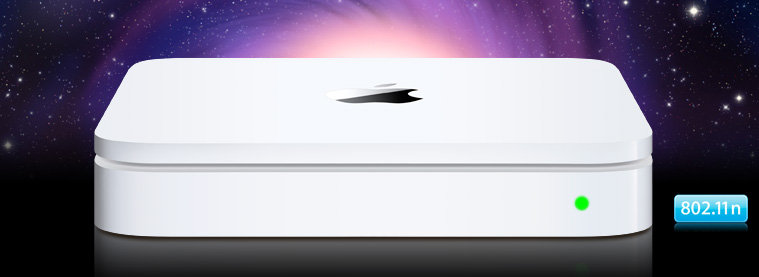
After a few months and independent from these issues, we decided to invest in a backup solution that was more comprehensive that the piece meal attempts at backup we were doing today. The consensus was to go with Apple's TimeCapsule as I had heard from others on how well it performed. For all intents and purposes it was identical to my current AP but with internal Hard Drive and Power supply so I was a bit trepidatious but gave it the green light. We purchased the product. Configured it in about 15 minutes and replaced the Simultaneous Dual-Band AirPort Extreme N Base Station and low and behold, all my problems went away! I was amazed and decided that 8 hours was not long enough for testing. 2 weeks later it is still going strong. I had found the weak link, or had I?

I repurposed the Slightly older AirPort to my boudoir/office and never had a problem again with either connections. To this day I am at a loss to explain it. Some combination caused the problem, once separated however, the problem disappeared.

You see, sometimes I get confused.


Thursday, April 23, 2009

Maturation of the WiFi Market

blanket.gif

I think we are reaching a stage where people are actually starting to depend on their wifi networks the way they do their wired ones. They expect blanket coverage everywhere. Network Admins are starting to actually trust these networks now as well.

How did I reach this conclusion? Well, I was told this by a very large healthcare organization. This company has over 60 thousand employees and hundreds of locations. I was teaching a class in WLAN management when a couple of router guys chuckled in the back of the room. You see, to them wifi was a part time gig. They managed the core. I would have said something however, I never had to. Another attendee, a real leader in the group, took over and said, "You wired guys want to chuckle but let me tell you, moving forward, wireless networking will be the primary access method for all new connections and applications."

I was stunned as this was a pretty hefty statement to make in front of a vendor (me).

And this is not the only place I heard this. I was recently at the headquarters for a major media company. I mean really major. The WLAN Admin Exec. said almost the exact same thing.

Are we reaching a milestone? I think so. I think mobile devices are pushing this forward. It was all fine and good that companies provide wifi for big ol' laptops but when people have an iPhone in their pocket and are surfing the web non-stop round the clock... Well, let's just say, people can get pretty demanding for something they never had before but are getting used to using everyday.

To illustrate my point, please watch this comedian from the Conan O'Brien show. His name is Louis CK and he is spot on. If you are impatient, tune to 2:16 for the particularly poignant part.


"Everything is amazing and nobody is happy"
Uploaded by Meowbay. - Click for more funny videos.

Monday, July 30, 2007

The Myth of the Self-Monitoring WLAN

Recently, as you all probably know by now, Duke University had a WLAN meltdown. The CIO, Tracy Futhey (Comment here) and the assistant IT director, Kevin Miller (Comment here) have put to rest the notion that the Apple iPhone caused it. Cisco has issued an advisory to the effect and Apple assisted in the effort.

I am not going to go into the details of what happened or why. Suffice it to say that mobile handhelds of all types, not just iPhones, send a lot of ARP traffic and the Cisco infrastructure was not ready for it. The quote at Network World explains that, "The advisory finally makes it clear that the iPhone simply triggered the ARP storms that were made possible by the controller vulnerabilities. Any other wireless client device, moving from one subnet to another apparently could have done the same thing."

What I will point out, however, is the problem we in the Wi-Fi community have today with the following simple delusion, "Your WLAN infrastructure as a cohesive, integrated, single-vendor solution is all anybody needs. It is self monitoring and self healing." I talk to a lot of people about which WLAN solution they are going to purchase and implement and I am always surprised by how many believe that the AP and controller vendor has all the answers. Don't get me wrong, I am a huge fan of this type of solution. Central management is critical for even medium sized organizations of 50 or more APs, much less larger ones that may a few hundred or even thousands. Manually changing the configuration of each AP is not a viable solution in these cases. The Admin needs assistance. And the story sounds so great, "Implement our solution and it will fix itself when it breaks and protect itself when security policies are breached." Who wouldn't want that?

But the truth is a little more complicated. As we have seen from previous posts, sometimes the solution doesn't behave the way your business practices need. Similarly, sometimes there are security problems within the infrastructure itself. So what to do?

This will sound like an advertisement for the company I work for and I apologize ahead of time but there is a very good reason I continue to work there. Mainly, I believe in the message.

When the Duke network went down and the Assistant IT director looked at his WLAN infrastructure dashboard, what did he see? I have not spoken with him directly but my guess would be it said, "hey man, it ain't me. Everything looks good from my end" So what did he do? he pulled out a sniffer and got to work. With packet traces in hand and assistance from Cisco and Apple he solved the problem. Did the infrastructure fix itself? Did it correctly identify the problem and solution? No. A patch is now needed to keep this from happening again.

One should not blame the infrastructure for not getting this right at the outset nor should one blame Mr. Miller. He was correctly reading what the controllers were telling him. But it shows how important it is to have a separate, 3rd party solution also available to get down to the bits and bytes or even spectrum analysis (if the problem should be something other than 802.11 protocol madness.)

There are a few great WLAN security vendors out there and they make 3rd party, best of breed solutions for monitoring the security of your WLAN (one of which recently got snatched up pennies on the dollar and will probably be rolled into another integrated, self-healing, self-monitoring role; against my better judgment.) There are an even smaller number who both monitor your security and your connectivity and performance and give you great troubleshooting tools built-in (insert shameless plug here). These should be your trusted advisor's when things go wrong. I am in no way suggesting that they would have identified the problem and cause and given a solution at Duke either (although I think they at least would have shown alerts for denial of service and strange traffic behavior.) What I am suggesting is that with them in place you now have a set of tools to assist in solving the problem. Remote packet and/or spectrum analysis. Alarm thresholds that can be set by the admin and will continue surveillance. Reports. System-to-system notifications. Graphs of speed and traffic type. Lists of who is connected to what and how. All the things you would need to get to the bottom of any problem in that invisible Luminiferous Ether.

Friday, July 27, 2007

Cisco Ripples - DCA and RRM - Help is on the way

Since I first published " The Ripple Effect" back in February I have heard from many folks who have validated the effect but to my chagrin, I have had no solution to offer. Well thankfully there are smarter people than me out there and solutions have started to appear.

I was alerted to the fact that Medical Connectivity consulting recently put Cisco in their sights and quoted my blog with regard to Dynamic Channel Assignment and RRM causing issues. The Web, being the great time waster that it is, lead me on a journey. As I read the article I clicked here and there and next thing I knew I was looking at a forum at Cisco that was talking about this exact phenomena.

One of the forum posters had some great suggestions to eliminate this problem in the future. Bruce Johnson at Partners Healthcare offered this solution,
"We saw the majority of DCA events were triggered by Interference from Rogue APs. After we disabled Foreign AP Avoidance the number of channel changes dropped by an entire order of magnitude (1000s to 100s). We disabled Cisco AP Load Avoidance and this reduced the number of DCAs within an order of magnitude (100s less).

DTPC will power-up APs to max levels to provide a 3-neighbor -65 RSSI coverage "grid" and 7921s will power up to follow suit (up to their max Tx Power). Other clients with higher Tx power may send the APs to max power causing a mismatch with IP phones.

You can decrease the tx-power-threshold so the "grid" won't be as hot (default is -65, change to -71 or -74):

config advanced 802.11a tx-power-control-thresh <-50 to -80>
config advanced 802.11b tx-power-control-thresh <-50 to -80>

and reduce the coverage hole detection threshold (reduce Min SNR level in RRM Thresholds) to suppress the power-up activity."
Bruce seemed on track with this fix. the problem is that it isn't a fix. It shuts off the RRM and DCA so that the WLAN would remain stable. So where is the benefit of a controller based system?

He does note that a fix is forthcoming from Cisco, "They are revamping the behavior of RRM in the WLC 4.1 Maintenance release." Which is later confirmed by a Cisco employee, Saurabh Bhasin a TME,
"With the 4.1 Maintenance Release(MR) due out on cisco.com shorly, many improvements based on such feedback have been brought into RRM's algorithms ? improvements aimed at allowing administrators to fine-tune their RRM-run WLANs where desired. These enhancements will allow for greater control over both the channel and power output selection algorithms, so administrators may assist RRM in being either more or less aggressive in such decisions, depending on application and network needs. Additionally, enhancements have been made to the management and reporting of all RRM information and configuration alterations to allow for better tracking of RF environmental fluctuations and to assist in keeping track of RRM activity. Further technical detail on the inner workings of these enhancements will be available very soon in an update to the above-mentioned RRM Whitepaper."
The paper he references is found here http://www.cisco.com/warp/public/114/rrm.html and explains a lot of what we are all seeing. (here is the PDF version)

(NOTE: Since publishing this post, Cisco has moved the link. Here is a more recent version. Please double-check with Cisco that you have their latest information)

So here is to hope that WLC 4.1 Maint. Rels. fixes it. As an aside, Bruce Johnson is skeptical,
"Its all well and good to make things work for Intel and the CCX/CCKM compliant crew, but if you have any of the other brands of WLAN NICs (like those made by medical device manufacturers, who won't subscribe to fast roaming features until they're adopted by the IEEE) you are best keeping RRM disabled until it delivers on its promise as stated in the following 802.11TGv Objectives draft:

Service and Function Objectives

Solutions shall define mechanisms to provide the service listed below.

[Req2000] TGv shall support Dynamic Channel Selection, to allow STAs to avoid interference. Solution shall be able to change the operating channel (and/or band) for the entire BSS during live system operation and be done seamlessly with no intermittent loss of connectivity from the perspective of an associated STA. Solution shall not define algorithm for channel selection."

Thursday, May 3, 2007

Ripple Effect - Redux

This article is out of date.

Early in the year I posted an article about how the Cisco WLAN controller system may behave strangely in some conditions. I got some email from some folks that had major issues with it. One poster said that, "Before Cisco purchased the technology from Airspace, they had already put dampeners in the RRM so the hysteresis you describe wouldn't occur." This is just plain wrong. Cisco wants to sell more switches and routers and they found out if they purchased the Airespace system they would do just that but they did not make this significant change before releasing it with their name on it. And they are still changing the behavior of the WCS today because this problem still exists.


Did I lose you? As a refresher for those who did not see the original article it is posted HERE.


Since I published that comment back in early February I have spoken to quite a few people who have seen the same effect in their environments in recent months. One network engineer wrote, "I can vouch for having observed this recurrent DCA behavior, also in a hospital environment (12-24 channel changes per day across 10 floors of APs, as you depict in your example). The architecture is not alerting us to this being the result of interference or noise (no WLC or WCS events of either type), and the RSSI of rogue APs is above the threshold required for triggering DCA (neg 85dB)."


I was asked by the nay-sayers what Cisco told it's customers to do and here is what that same engineer said, "We have been told by Cisco that the 100mW AP neighbor beacons, used to determine the picture of the network, does not get input into DCA. Cisco claims these 100mW beacons are used only for dynamic power control, which we hold static -- do you think this voids the dynamic algorithms? Other docs say the RSSI of neighbor APs is the most important criterion in DCA behavior! In lieu of noise and interference alerts we can only surmise its the APs themselves that are the cause of their own DCA ripple effect."


This is just one example. I also have spoken to other folks who say that the Aruba system they are running does not do this. They say it is much more stable and after the original "learning" time it settles down and stays that way as long as the network is in use. I think this makes sense, why change the whole network because of one interferer? Better to be alerted to the fact and deal with it yourself.


I am collecting comments on this and would like to post more testimonials about this effect. If anyone wants to support this claim publicly, please feel free to drop me a line to bruce@hubbert.org or comment to this post. My goal here is not to raise hysteria but get things fixed and level the playing field. The infrastructure vendors tend to pitch the idea that they offer a panacea for all wifi woes and I feel that that is just a flavor of "Kool-Aid" I am unwilling to drink.

Saturday, February 3, 2007

The Ripple Effect - Problems with Cisco’s Radio Resource Management (RMM)

(NOTE: This information is out of date. Cisco has changed their RRM calculations and have removed much of the information linked to in this post.)


Introduction:
In its Unified Wireless Network architecture, Cisco has developed patent pending technology for dealing with interference detection and avoidance, dynamic channel assignment, dynamic power adjustment, coverage-hole detection and correction, rogue detection and client load balancing. This system is known as RRM or Radio Resource management. The stated goal of which is to avoid problems in the fixed ISM band of 802.11b/g where only 11 channels are available to U.S. WLANs. This system, though sound in theory, has problems when applied to large WLANs in urban areas or locales that have heavily deployed WLANs such as Metro WiFi, skyscrapers, hospitals, universities and businesses near residential neighborhoods.
Background on Channel Overlap:
Anyone who has configured their own home access point (AP) knows they are allowed to choose a channel for the AP to transmit on. Since APs use Dynamic Spread Spectrum technology they actually utilize 5 channels per AP.
If an admin were to configure APs to use all channels in the 802.11b/g spectrum, a serious decrease in available bandwidth would occur and users would experience sever throughput loss. Thus an admin is restricted to only configure his/her APs to 3 non-overlapping channels; 1, 6 and 11. In some cases an admin may opt, out of necessity, to go for a slight overlap and configure a 4 channel plan consisting of channels 1, 4, 7 and 11.

WLAN planning and Site Surveying:
Administrators need to then plan out their deployment so that each AP avoids overlapping its coverage with another AP on the same channel. APs must have their power adjusted to compensate for walls and coverage gaps that may ensue when a building is not a standard rectangular shape or when neighbors move in and configure their AP on a channel used by the organization the admin works for. This adjustment in power may increase or decrease the size of the cell of each AP and the additional adjustments to all the other APs will now be needed. Lastly, the admin must plan for areas where usage may change very dynamically such as in conference rooms and auditoriums. As one can see, this is really an art and a whole industry has evolved around designing wireless networks. Usually a Site Survey is needed to map out the existing neighbor APs as well as to plan where to place and map the new APs. Surveys are also recommended from time to time to adjust to changes that may happen around the organization as well as within it.

Cisco's Solution:
The Cisco Unified Wireless Network (UWN) architecture hopes to avoid this problem by sensing the types of problems that occur in WLANs and automatically compensating. Problems such as:
  • A neighbor moving in next door or upstairs and implementing APs that overlap yours
  • Coverage gaps that occurs when walls, cubicles and other furniture are moved, added or removed
  • Loss in throughput when people, who are 78% water, move around in a company and group together in conference rooms or other areas (water attenuates or "blocks" radio waves)
Cisco has (had) a brief description on their website at HERE and a much more in depth description HERE
On that second page Cisco describes how this works under the section entitled, "Radio Resource Monitoring"


Management of an RF network requires strong visibility into the factors affecting the air space. Cisco lightweight access points are specially designed to not only offer service, but to also monitor all channels at the same time. This is a result of the extensive development work Cisco has performed on the 802.11 MAC layer as part of its split MAC architecture.
In addition to offering service, Cisco lightweight access points can simultaneously scan all valid 802.11a/b/g channels for the country of operation, as well as for channels valid in other geographies. This provides the highest level of protection-the system will discover rogue access points that might be imported from other countries, or a hacker that knows how to change the country of operation such that the rogue would be out of band and not detected by most WLAN intrusion detection systems (IDSs).
The Cisco lightweight access point goes "off-channel" for a period not greater than 60 ms to listen to these channels. Packets collected during this time are sent to the Cisco Wireless LAN Controller, where they are analyzed to detect rogue access points (whether service set identifiers [SSIDs] are broadcast or not), rogue clients, ad-hoc clients, and interfering access points.
By default, each access point spends only 0.2 percent of its time off-channel. This is statistically distributed across all access points so that adjacent access points are not scanning at the same time, which could adversely affect WLAN performance. This enables administrators to build a picture of what is happening in their WLANs from the perspective of every access point, and increases network visibility beyond what an overlay network can provide, eliminating the "hidden node" problem that can result when air monitors are deployed for every three to five access points.

I will not debate the issues around part time scanning in this article; many others have addressed that already. But I will address the next issue which is how Cisco responds once it has discovered any of the aforementioned problems.

When a station has something to say, it announces it to the media. An access point will allow the station to send its data if the medium is open. If not, the station will be told to wait to transmit until other stations using that medium are finished with it. This prevents two clients from transmitting on the same channel at the same time, which would result in corrupted frames.
With CSMA/CA, two access points on the same channel (in the same vicinity) will get half the capacity of two access points on different channels. This becomes an issue, for example, when someone reading e-mail in a café affects the performance of the access point in a neighboring business. Even though these are completely separate networks, someone sending traffic to the café on Channel 1 can cause data corruption in an enterprise using the same channel. Cisco wireless LAN controllers address this problem and other co-channel interference issues by dynamically allocating access point channel assignments to avoid conflict. Since the Cisco lightweight solution has enterprisewide visibility with its RRM tools, channels are "reused" to avoid wasting scarce RF resources. In other words, Channel 1 will be allocated to a different access point far from the café. This is much more effective than not using Channel 1 altogether, which is what other WLAN systems often do.

Later in the same document it describes a similar situation as Interference.


"Interference" is defined as any 802.11 traffic that is not part of the Cisco WLAN system, including a rogue access point, a Bluetooth device, or a neighboring WLAN. Cisco lightweight access points are constantly scanning all channels looking for major sources of interference (Figure 3).
If the amount of 802.11 interference a predefined threshold (the default is 10 percent), a trap is sent to the Cisco Wireless Control System (WCS).The Cisco Wireless LAN Controller will attempt to rearrange channel assignments to increase system performance in the presence of the interference.
Again I will refrain from diving too deep on interference sources as Cisco does not even have a way to detect much less respond to such non-803.11 interferers as Cordless phones, baby monitors, wireless cameras, DECT phones and headsets etc.


The Problem:
When you have a large number of APs implemented and you are covering a large area, the Cisco system will adjust to compensate for rogues, neighbors and interferers almost continuously. As you add more and more interferers in and around the WLAN, more and more adjustments must be made to compensate for these. As the compensations take place they run into adjustments coming the other direction from the other side of the building and you get a huge ripple effect that will in some cases cancel out adjustments and in others build up over adjustments. The WLAN starts to behave like a wave phase experiment.


Example:
Let us say that we are in a hospital in San Francisco where the average number of APs per block is around a hundred. The hospital has 20 APs per floor and 10 floors in the main building. That's 200 APs, which is quite a large number. This hospital, since it is in an urban setting has many neighbors, many of whom also have APs.
In a typical situation a neighbor to the hospital puts an AP on Channel 1. The Cisco architecture senses this and adjusts to compensate, moving APs from adjacent channels to ones farther away. At or around the same time but on the other side of the hospital, another neighbor appears but this time the AP is on Channel 11. A similar situation occurs there. At some point the two waves of adjustments meet or cross in the middle. This is made possible because the split MAC architecture of the Cisco UWN has many decisions made in its WLAN controllers. These controllers are distributed and can act semi-independently. By the time the wave reaches the other side of the hospital, the system realizes it is again being interefered and readjusts.

This wave or ripple action, because it moves across floors and up stories may go on forever. As more neighbors or interferers come on line more waves are sent out. The larger the implementation the worse the problem gets. The effect is readily visible and measurable to anyone with a WLAN analyzer. They will see MAC addresses hopping from one channel to the next on a second by second basis. They will also be changing output power continuously so the signal will be rising and falling.


Effects of the "Ripple"
The net effect of this phenomenon is a serious decrease in throughput and a large increase in latency. If you use your WLAN for applications that need low latency or high throughput such as VOIP over a WLAN (known as VoWLAN or VoFi) or you have low power handhelds such as the kind used for barcode scanning, this network is unusable. The VoFi traffic will be filled with jitter and conversations will be choppy at best. The handhelds will never be able to sleep or go to low power as they will always be probing for changes to the environment. If the system had been statically mapped to specific channels that do not change, the WLAN would have had problems, for certain, but these problems would be affecting just the few APs that face the neighbors. Now that all the APs are reconfiguring continuously, the whole WLAN is affected all the time.
WLAN STAs that are associated and attempting to pass data will continuously be probing for new channels and APs to associate with. The amount of roaming will go up dramatically. Roaming takes a few seconds to complete so the problem will be very serious for the end user.

Cisco even mentions this problem in one of their release notes for the CB21AG card found here: HERE


CSCse49324-CB21AG retransmission mechanism has problems with RRM in LWAPP network
A CB21AG client that is operating in an LWAPP infrastructure loses connection for small periods of time. When the AP is performing radio resource management (RRM), the AP goes off channel. During these periods, the AP cannot hear and answer ACK and RTS frames from the client. The client card initiates a scan for another AP, and network traffic for the client is affected.
Workaround: Increase the HwTxRetries value from 4 to 14 (registry entry) so that the client card continues to retry for the 20 to 30 milliseconds that the AP is off channel.

SpectraLink and other VoWLAN vendors specifically warn their customers not to deploy their Cisco UWN architecture with RRM enabled. When a WLAN needs to support voice, the requirements for stability increase dramatically.


Conclusion:
The idea behind automatically adjusting and configuring networks is a good one. Maybe sometime in the near future Cisco will program their controllers to avoid this type of effect but in the meantime, unless you have a pretty small network or are located far from interference sources and neighbors, admins are urged to complete a thorough site survey and statically map all their APs to a channel and resurvey from time to time.